
Please follow the step-by-step instructions below to access your premium service.
Open a web browser (i.e. Edge, Google Chrome, Safari, Firefox, Internet Explorer, etc.). In the web address bar (located near the top of your screen) type in www.fool.co.uk and press the ‘Enter’ key. This will redirect you to The Motley Fool UK homepage.
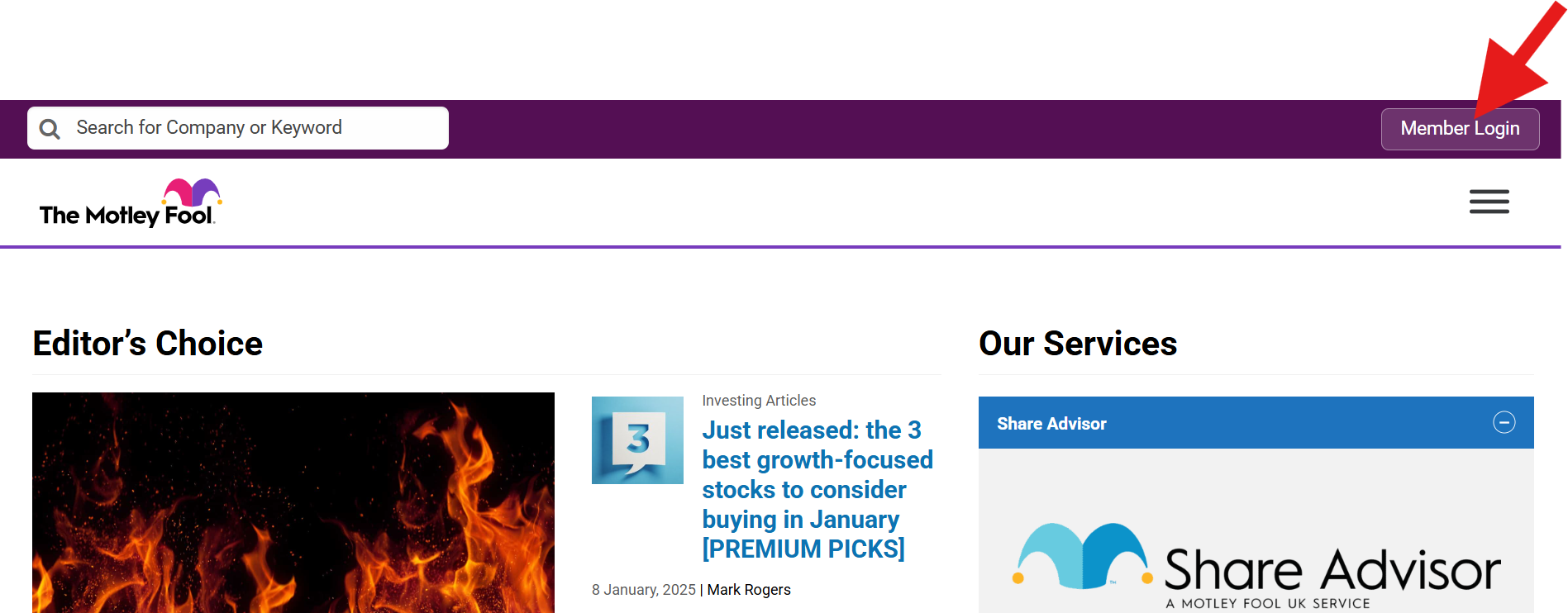
In the top right of your screen, click Member Login as shown in below screenshot:
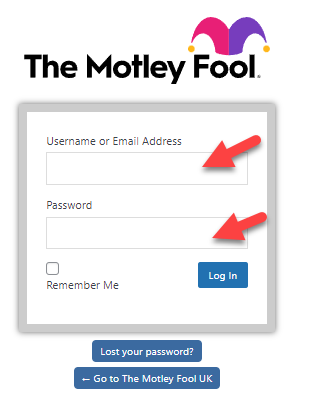
Then enter the username you selected at registration or your registered email address, and your password, and click Log in.
If you have forgotten your password or have not yet set one up, you can request a password reset by clicking the blue Lost your password? button.
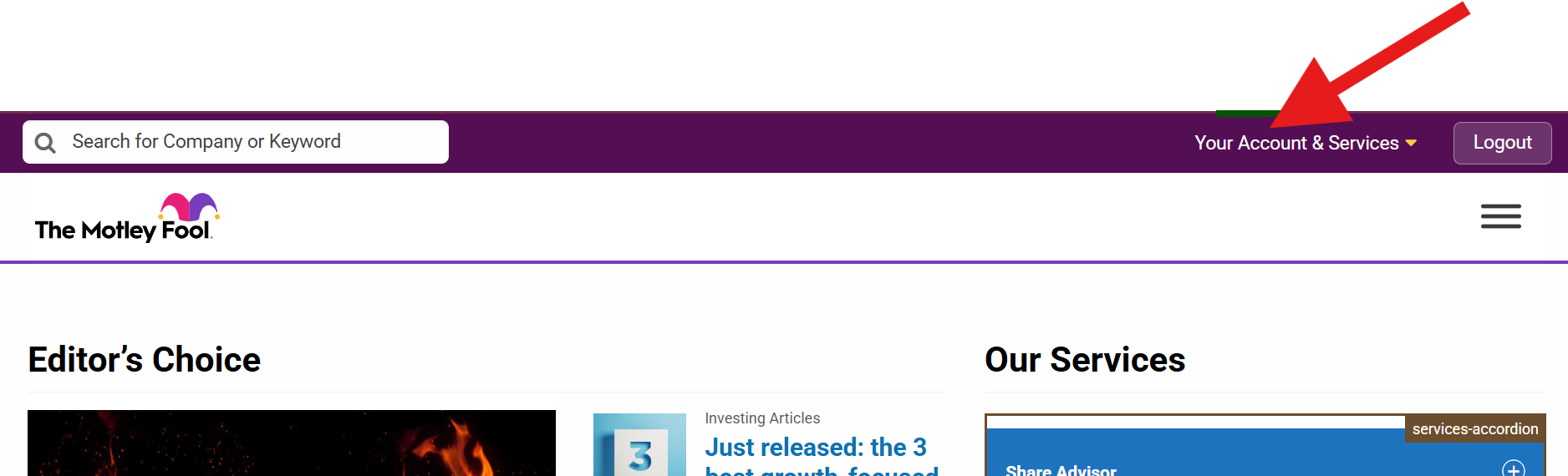
You are now logged in and will see the Logout button at the top right of our screen
Click on the yellow triangle beside Your Account & Services at the top right of your screen to show a list of the services you are subscribed to. Select the service you wish to view and you will be directed to the appropriate members-only website.
If you have any problems logging in please email customerservices@fool.co.uk
Still can't find what you're looking for?
Email us at customerservices@fool.co.uk and we'll get back to you.